
Samsung users may have noticed something new on their Galaxy Z foldables — the Warranty and care[1](#5a7d6cfe-cd00-43cf-a6ab-7e75fd5e6cb4) menu.
Official announcementSamsung Newsroom
‘Warranty and care’ Menu Simplifies Device Care for New Foldables
Samsung users may have noticed something new on their Galaxy Z foldables — the Warranty and care 1 menu. Managing warranties and coverage for a Galaxy mobile phone, Galaxy Watch, Galaxy Buds, and Galaxy Tab can be a hassle. That’s where Warranty and care comes in. Introduced with
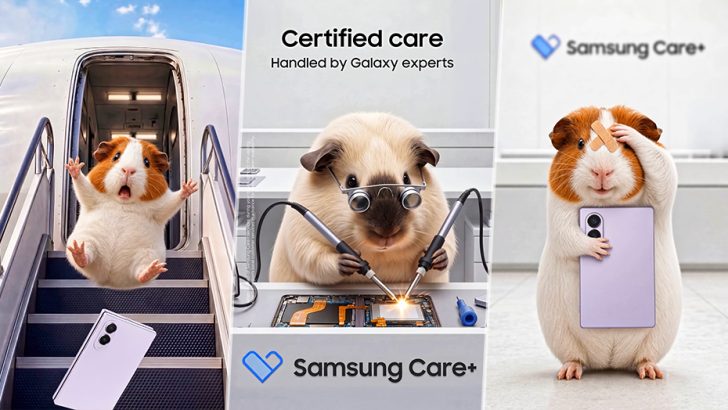
Managing warranties and coverage for a Galaxy mobile phone, Galaxy Watch, Galaxy Buds, and Galaxy Tab can be a hassle. That’s where Warranty and care comes in. Introduced with One UI 9, it brings essential device management features together in one place, letting users check warranty status, run diagnostics, book repairs, and get support in just a few taps — all without leaving Settings.
Here’s a closer look at what Warranty and care, available with One UI 9 on the Galaxy Z Fold8 Ultra, Galaxy Z Fold8, and Galaxy Z Flip8, offers.
Check Warranty Status Across Galaxy Devices
Keeping track of warranty periods and expiration dates across Galaxy devices isn’t always easy. Warranty and care consolidates this information in a single hub.
▲ Access Warranty and care instantly from Settings.
Available in Settings, Warranty and care displays information[2](#1c040dc1-8d25-426e-9599-0b77894733a1) about the device in use at the top of the screen — including remaining warranty period and eligibility for Samsung Care+ enrollment.[3](#72a9207a-0daa-4156-84e6-71cb0ac0614a) Below, users can find the same details for other Galaxy devices linked to their Samsung account, making it easy to check warranty and coverage status across their Galaxy ecosystem.
For added protection beyond the standard warranty, users can easily explore and enroll in a Samsung Care+ plan that matches their needs.
Resolve Device Issues With Diagnostics and Bixby
When something doesn’t feel quite right, quickly finding out what’s wrong can make all the difference. The built-in Diagnostics feature checks the device — including its battery, charging, sensors, touch response, and connectivity — to help pinpoint the issue and guide users to the next step, whether that’s a suggested solution or a repair request.
▲ Bixby offers customized responses to your inquiries.
Users can also access Bixby[4](#29ae218e-01b6-439f-a48b-2dd3114788a2) from Warranty and care to ask about an issue and get help on the spot. For example, if a user asks, “My battery is draining too fast. What should I do?” Bixby can walk them through possible solutions step by step. It’s a convenient way to get answers to everyday questions without switching screens.
Book Repairs and Check Estimated Costs in One Place
When professional help is needed, users can tap the “Request a repair” to book a repair at a Samsung-authorized service center without having to make phone calls. All repairs are carried out by Samsung-certified technicians using genuine parts. If users are unable to visit a service center, they can start remote support from the same screen and get help directly on their device.
Warranty and care also makes device care service information easy to check. After selecting an issue, users can view estimated repair costs[5](#768ae12d-0d07-4065-afd6-afd8b9dcf7d6) for major parts alongside the cost of the same repair with Samsung Care+. This comparison helps users weigh their options and decide whether additional protection is worthwhile.
▲ Repair estimates on main parts can also be verified.
Protect Device Value for the Long Term
By bringing warranty information, diagnostics, support, and repair services together, Warranty and care gives Galaxy users a simpler way to manage their devices for greater peace of mind. Checking the feature during setup makes it easier to know where to turn if an issue comes up later — from running diagnostics and asking Bixby or a chatbot for help to requesting a repair. With these essential services close at hand, users can keep their devices in good condition for longer and help preserve their value.
- Available features in Warranty and care menu may differ by country/region. [
- ︎](#5a7d6cfe-cd00-43cf-a6ab-7e75fd5e6cb4-link)
- Warranty information is available only for devices registered to a Samsung account. [
- ︎](#1c040dc1-8d25-426e-9599-0b77894733a1-link)
- Terms and conditions apply. Samsung Care+ coverage, service type and promotion details may vary by country/region and a deductible (service fee) may apply. To be eligible for Samsung Care+ promotion benefits, registration may be required. For detailed Samsung Care+ information, please visit https://www.samsung.com/samsung-care-plus/. Care at home & abroad: When in need of Samsung Care+ services during your travel, contact the local customer services center at your destination country/region in advance for Samsung Care+ availability. [
- ︎](#72a9207a-0daa-4156-84e6-71cb0ac0614a-link)
- Ask Bixby features and supported content may vary by country or language. [
- ︎](#29ae218e-01b6-439f-a48b-2dd3114788a2-link)
- Availability of estimated repair costs may vary by device model or region. [
︎](#768ae12d-0d07-4065-afd6-afd8b9dcf7d6-link)
Related stories

Official announcement
Samsung Galaxy S26 FE: Delivering the Latest Flagship Experience, Focused on What Matters Most
Samsung Newsroom
Samsung Electronics today announced Galaxy S26 FE, the newest addition to the Galaxy S26 family and the first in the lineup to launch with One UI 9 — bringing the latest premium Galaxy experiences to more users from day one. With enhanced camera capabilities and more context-awar
Official announcement
Samsung Introduces New Odyssey Lineup for Fast-Paced Gaming at Gamescom 2026
Samsung Newsroom
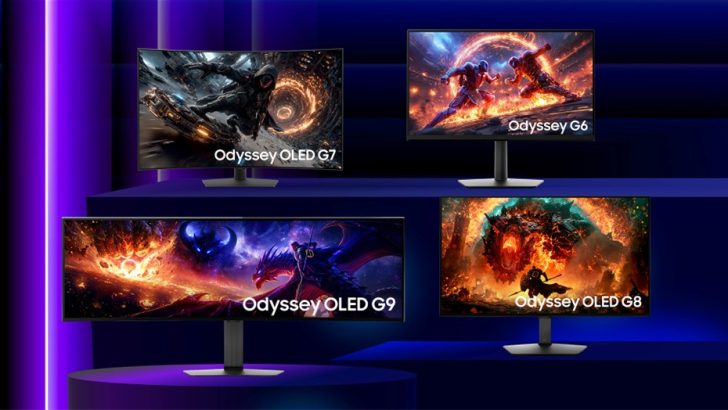
Samsung Electronics today announced its 2027 Odyssey gaming monitor lineup at Gamescom 2026, the world’s largest gaming event, being held in Cologne, Germany from Aug. 26-30. The new lineup introduces multiple Odyssey models that feature world-first innovations, empowering player
Official announcement
3 new ways to plan and book travel in Search
Google AI Blog
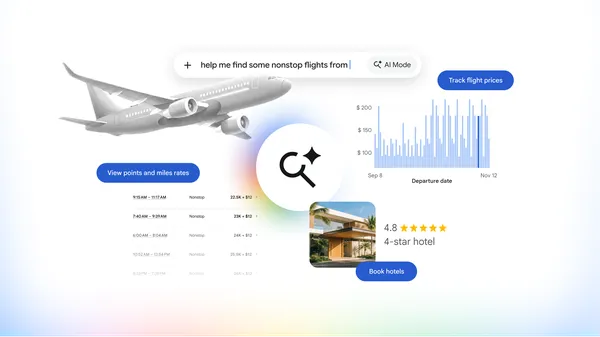
Book hotels and track airfares, plus view miles and rewards with AI Mode in Google Search.

Official announcement
The Most Efficient Token Is One You Don’t Spend
Dell Blog
Why better enterprise data is the foundation of a more affordable AI future.

Official announcement
Scott Pilgrim EX: Bringing three new heroes to life in Back in the Band DLC
Eric Lafontaine
When we decided to reunite the full Sex Bob-omb lineup for Scott Pilgrim EX – Back in the Band, available now, we knew that simply adding three new playable characters wasn’t enough. Stephen Stills, Kim Pine, and Knives Chau each needed to feel like they had always belonged in th

News summary
Meta Took Aim at Anthropic. It Is Also One of Its Largest Customers.
Anthropic News
Meta Took Aim at Anthropic. It Is Also One of Its Largest Customers. The New York Times